
Master How to Schedule YouTube Videos for Channel Success

Master how to schedule YouTube videos for channel growth. Discover optimal upload times, batch content, and use tools for consistent success.
Knowing how to schedule your YouTube videos is a total game-changer. It’s actually built right into the upload process. When you’re in YouTube Studio, just look for the 'Visibility' tab. Instead of hitting 'Public,' you can pick a specific date and time for your video to go live. This simple shift takes you from frantically uploading to strategically publishing.
Why a Smart Schedule Is Your Biggest Growth Lever

Let's be honest, uploading a video the moment you finish editing is a rookie mistake. In 2026, thinking strategically about your schedule isn't just a nice-to-have; it's the very engine that drives channel growth. A consistent schedule sends a powerful signal to the YouTube algorithm: your channel is a reliable and active hub for great content, making it much more likely to get recommended to new viewers.
We often call this building algorithmic trust. When you consistently show up with valuable content at predictable times, YouTube’s system learns to expect and even promote your work. It's a partnership, really. You bring the consistency, and the algorithm helps you find the right audience.
Train Your Audience and Your Algorithm
Beyond just appeasing the algorithm, a smart schedule also conditions your human viewers. When people know a new video drops every Tuesday morning, they start building a habit around your channel. That anticipation is an incredibly powerful tool.
A predictable schedule turns casual viewers into a loyal community that actively looks for your new uploads. This is how you shift from passive consumption to real engagement.
Consistent posting is directly tied to how fast a channel can grow. For example, assuming the quality stays high, channels that publish two long-form videos a week tend to grow their subscriber base about three times faster than those only posting once. If you drop below one video per week, it gets tough to maintain any real momentum.
This table gives you a clear picture of how different posting schedules can impact your output and potential growth over a year.
Posting Frequency vs Potential Channel Growth
| Posting Frequency | Annual Videos | Relative Growth Rate |
|---|---|---|
| Once a Month | 12 | Very Slow |
| Once a Week | 52 | Moderate |
| Twice a Week | 104 | Fast |
| Three Times a Week | 156 | Very Fast |
As you can see, the jump from one to two videos a week doesn't just double your content—it can significantly accelerate your channel's growth trajectory.
This consistency also does wonders for your own workflow and sanity. Scheduling videos in advance offers some huge perks:
- Reduces Burnout: It gets rid of that last-minute scramble to get a video published, turning a stressful process into a calm, managed one.
- Frees Up Your Time: With uploads automated, you can focus your energy on what really matters—brainstorming ideas, engaging with your community, or planning your next big project.
- Creates a Content Buffer: Life is unpredictable. Having a few videos scheduled out gives you a safety net, so your channel stays active even if you get sick, go on vacation, or just need a break.
From Manual Uploads to a Full Content Strategy
Getting into a good scheduling habit is the first step toward building a much larger content strategy. Once you've got the hang of scheduling individual videos, you can start thinking bigger, like mapping out topics on a content calendar weeks or even months ahead.
This mindset also bleeds into your cross-platform promotion. The principles of good timing are universal, whether you're on YouTube or another network. To really round out your strategy, it’s worth exploring guides on how to schedule social media posts to see how the concepts connect.
Once you have a system, you can even start exploring advanced workflows. Top creators use tools to automate and scale their output, using AI to generate and schedule things like promotional shorts or AI UGC ads without burning themselves out. It all starts with that one simple step: scheduling your next video.
Your First Scheduled Video in YouTube Studio
Scheduling your first video is a lot less intimidating than you might think. The entire process is built right into the normal upload workflow you already use inside YouTube Studio. Let's walk through exactly where to find it.
Kick things off by uploading your video just like you always do. Head to your YouTube Studio, hit the “Create” button in the top corner, and select “Upload videos.” As the file processes, you’ll go through the usual steps of adding your title, description, and tags. This is your chance to get all the crucial metadata dialed in before you even think about publishing.
After you’ve moved past the Details and Video elements tabs, you’ll arrive at the final screen: Visibility. This is where you set your video to launch on its own.
Finding the Schedule Option
Instead of making your video Public right away, look for the “Schedule” option. Giving that a click will open up the date and time settings.
This is your mission control for timing. If your analytics show your audience is most active on Saturday afternoons, you can set your video to go live at precisely 1:00 PM to catch that wave of viewers. It’s like setting a digital alarm clock for your content, guaranteeing it publishes at the perfect moment, whether you’re at your desk or not.
A quick but critical piece of advice: always double-check the time zone. It's displayed right next to the time field. A simple mix-up here is a common mistake that can cause your video to launch hours off-schedule, completely missing your audience’s peak viewing window.
Should You Use Premiere?
Right below the time selection, you’ll notice a checkbox labeled “Set as Premiere.” So, what's the difference between a standard scheduled video and a Premiere?
- Standard Schedule: Your video simply appears on your channel and in subscription feeds at the set time. It’s a straightforward release.
- Premiere: This creates a public watch page before the video is live. It functions like a movie premiere, allowing viewers to get a reminder and join a live chat with you and the community in the minutes leading up to the launch.
Using the Premiere feature is a fantastic way to build anticipation and drive a burst of initial engagement. It gathers your most dedicated fans to watch together the second it drops, which can send powerful, positive signals to the YouTube algorithm about your video’s performance right out of the gate.
Pinpoint Your Channel's Prime Upload Time
Forget all the generic advice you've heard about the "perfect" time to post on YouTube. The real answer, the one that will actually move the needle for your channel, isn't in a blog post—it's waiting for you inside your own analytics.
Your most powerful tool is right inside YouTube Studio. Head over to the "Audience" tab and look for the chart called "When your viewers are on YouTube." This little heatmap is the key to unlocking your channel's unique upload schedule.
How to Actually Read the "When Your Viewers Are on YouTube" Report
At first glance, this report is just a grid of purple boxes. But it’s telling you a powerful story about when your audience is most active.
The key is to look for the darkest shades of purple. Those dark bars show you the exact hours when the highest number of your viewers are on YouTube, ready to watch. The lighter purple and gray boxes? Those are your off-peak hours, and you can safely ignore them for now. Your goal is to find those concentrated blocks of peak activity.
The 2-Hour Head Start Strategy
Here’s the pro tip that makes all the difference: don't schedule your video to go live at the peak moment. Instead, schedule it for one to two hours before that peak activity starts.
This head start is crucial. It gives YouTube's algorithm enough time to index and process your video. When your audience floods onto the platform during prime time, your video is already cataloged and ready to be served to them in their feeds and recommendations.
Think of it like stocking the shelves at a store right before the big rush. You want everything perfectly in place just as your customers start walking in the door. This data-driven approach is far more reliable for getting those critical first-24-hour views than any generalized advice on the best time to upload a YouTube video.
While your specific data is king, it's also true that broad viewership patterns often line up with traditional TV prime time. With YouTube's audience expected to grow beyond 2.70 billion monthly users by 2026, general trends suggest that posting between 3 p.m. and 9 p.m. is often a safe bet. Still, nothing beats using your own channel's data to make the final call, a fact supported by many YouTube statistics and trends.
Build a Sustainable Workflow with Content Batching
If you've ever felt like you're on a content treadmill, you're not alone. The cycle of filming, editing, and uploading a new video every single week is a fast track to burnout. The secret that prolific creators use to stay consistent isn’t working harder—it’s working smarter with content batching.
Batching is simple in theory: instead of doing every step for one video at a time, you dedicate chunks of time to a single task for multiple videos. Imagine filming an entire month's worth of videos in one afternoon. It completely changes the game. This frees you from the tyranny of deadlines and gives you the breathing room to actually be creative.
A batching schedule can be adapted to your own rhythm, but here’s a common approach for producing four videos:
- Day 1: Ideation & Scripting. Sit down and hammer out the concepts and scripts for all four videos. Get the hardest part—the thinking—done at once.
- Day 2: Filming. Set up your camera, lights, and microphone just once. Then, film all four videos back-to-back, maybe changing your shirt between takes to keep things fresh.
- Day 3: Editing & Graphics. Dive into your editing software and work through all the raw footage. While videos are rendering, you can design all the thumbnails for the month.
- Day 4: Upload & Schedule. Take all your finished assets and schedule out your content for the next four weeks.
From Batched Content to a Full Calendar
Okay, so you have a folder full of finished videos. Now what? This is where the scheduling magic happens. The most efficient way to handle this is to upload all your completed videos to YouTube at once, but be sure to set their visibility to “Private.”
This creates your own private vault of ready-to-go content right inside YouTube Studio. Now, you can simply go through them one by one, adding your polished thumbnail, an optimized title and description, and setting the schedule date. It's a much calmer way to manage your channel.
The real win here is building a buffer. By front-loading the work, your channel runs on autopilot, posting consistently even if you take a week off. This is the single best strategy for preventing creator burnout.
This workflow turns raw data from your analytics into an actionable publishing calendar, lining up your batched content to launch when it will make the biggest splash.
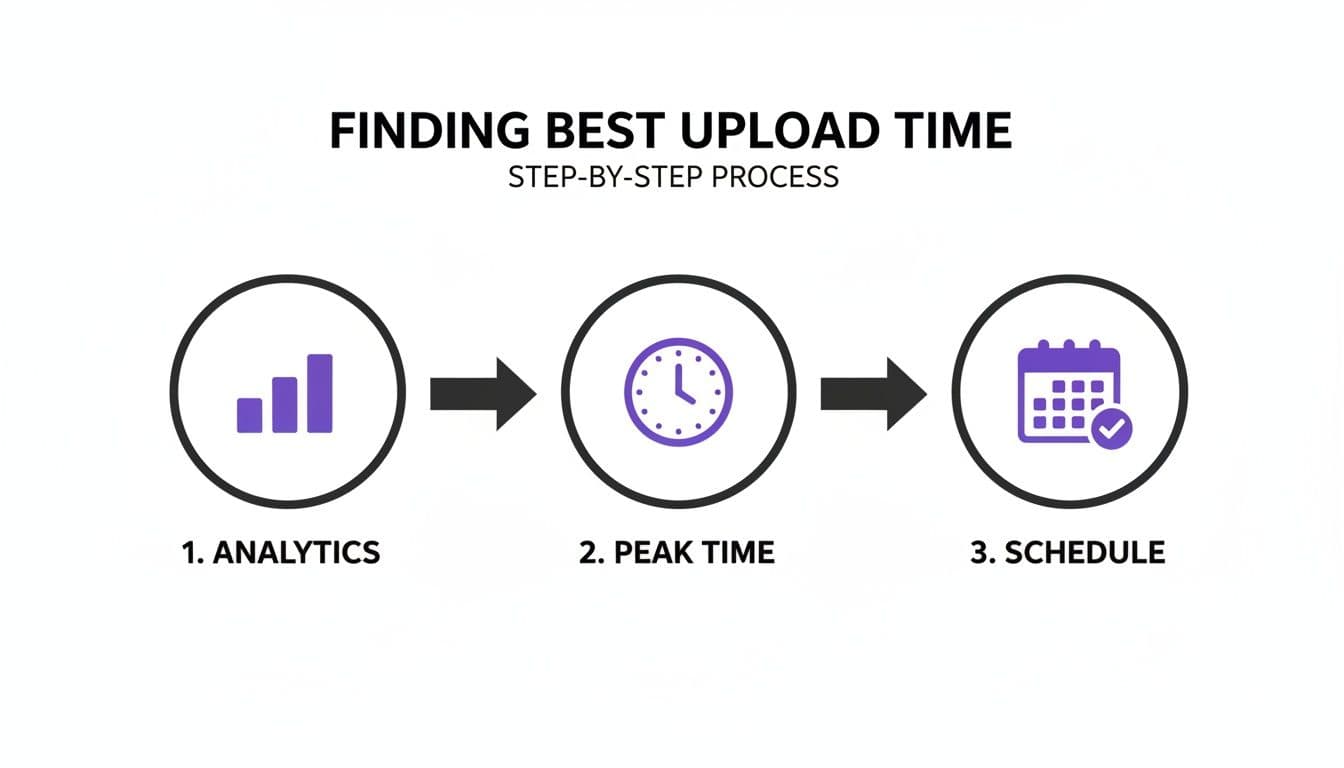
The goal is to connect the dots between when your audience is watching and what you have ready to publish.
Scaling Your Batched Workflow
The best part about batching is that it grows with you. Once you get the hang of it, you might find you can film eight videos in a day, setting you up for two months. You can also start batching different content formats, like a long-form video and the five Shorts you'll cut from it.
This system also plugs beautifully into other tools. Once your core videos are batched and scheduled, you can amplify their reach without much extra effort. For instance, you could explore a text-to-video model to quickly generate short, snappy teasers for Instagram Reels or TikTok, all promoting your upcoming YouTube uploads.
Suddenly, a simple scheduling habit evolves into a powerful, multi-platform content engine.
Automate Your Content Pipeline with AI Tools
Manual scheduling and batching are great starting points, but they still rely on you to do all the heavy lifting. What if you could move beyond simply scheduling posts and start automating your entire content workflow? That's where AI-driven platforms come in, completely changing the game.
Imagine this: you have an idea, and within minutes, you have a fully produced video scripted, edited, and scheduled to post across all your social channels. Tools like ShortGenius can take a single concept and turn it into a finished video, then push it out to YouTube, TikTok, and Instagram for you. Suddenly, your channel isn't just one outlet—it's a multi-platform brand.
A Real-World Creator Scenario
Think about a creator who covers daily market updates. To manually create a unique video for YouTube Shorts, Instagram Reels, and TikTok every single day would be exhausting, easily taking hours. By using an AI tool, that same creator could generate and schedule a full week’s worth of daily updates in less than an hour.
This isn't just about clawing back a few hours. It’s about freeing up your brainpower to focus on what really matters: big-picture strategy, engaging with your community, and coming up with your next great idea.
The goal is to let technology handle the production and distribution so you can focus on the one thing it can't replicate: your unique voice and perspective. This is how you achieve a powerful cross-platform presence without the burnout.
This kind of output is becoming non-negotiable. Recent data shows that while average views per video are up a staggering 76%, engagement rates have actually dropped. The message is clear: audiences are binging more content but are far less likely to interact unless you're consistently delivering quality. One creator even found that going from one to seven videos a week boosted views with each new upload. You can dig into the numbers yourself in the latest YouTube study from Metricool.
From Video Creation to Automated Publishing
Modern AI platforms bring the entire content creation process under one roof. In practice, the workflow feels almost like magic.
- AI-Powered Scripting: You feed the tool a topic or a URL, and it generates a script that’s actually engaging.
- Automated Video Assembly: The system pulls relevant stock footage or generates AI visuals, matches it with a natural-sounding voiceover, and layers in background music.
- One-Click Optimization: Your brand kit, captions, and the correct aspect ratios for each platform are applied instantly.
- Multi-Platform Scheduling: Once the videos are ready, you just set the schedule. The tool handles the rest, pushing content to all your channels at the best times.
For example, after you’ve created your main long-form video, you could use an AI ad generator to create a handful of promotional clips for your other platforms. You can then schedule them all to go live in a coordinated campaign. This creates a powerful content ecosystem that works for you 24/7, turning your channel into an efficient, self-sustaining machine.
Even the most buttoned-up content strategy can get thrown off course by a few simple scheduling slip-ups. I've seen it happen time and time again. You put all this work into creating an amazing video, only to have a tiny oversight sabotage its launch. Let’s make sure that doesn’t happen to you.
The Treacherous Time Zone Trap
One of the sneakiest—and most common—mistakes is the time zone mix-up. It's so easy to overlook. You need to be absolutely certain that the time zone in your YouTube Studio settings is aligned with your primary audience, not necessarily where you live.
For example, scheduling a video for a 7 PM prime-time launch for your New York-based audience is a great idea. But if your account is mistakenly set to Pacific Time, that video will drop at 4 PM on the East Coast, completely missing that peak viewership wave you were aiming for. Always, always double-check it.
"I'll Finish It Later" Syndrome
Another trap I see creators fall into is treating a scheduled video like a draft. This is a major mistake. The second you hit "Schedule," you should consider that video 100% final. That means the thumbnail is locked in, the title is perfect, and the description and tags are fully optimized.
Scrambling to upload your thumbnail minutes before a video goes live is a recipe for pure chaos and potential errors. Remember, your audience—and just as importantly, the algorithm—sees the video the instant it publishes. Make sure it's dressed for success from the very first second.
Keeping Your Rhythm and Building Trust
Consistency is king on YouTube. If you post at 8 PM one week and 10 AM the next, you're making it impossible for your viewers to build a habit around your content. A predictable schedule does more than just organize your workflow; it signals reliability to your audience.
Think of your schedule as a promise to your viewers. Consistently showing up at the same time and day builds anticipation and loyalty, which are critical metrics for channel growth.
And hey, don't panic if you spot a typo after scheduling. You can edit all the metadata—the title, description, thumbnail, you name it—right up until the second it goes public. Just head to the video in your Studio content list, make the fix, and it won't disrupt the schedule one bit.
Troubleshooting Common YouTube Scheduling Errors
To help you stay on track, here's a quick guide to some of the most frequent scheduling headaches and how to solve them fast. Think of it as your cheat sheet for a flawless content calendar.
| Problem | Solution | Pro Tip |
|---|---|---|
| Video published at the wrong time. | Check your channel's time zone settings in YouTube Studio. Adjust it to match your target audience's prime time. | Look at your YouTube Analytics "When your viewers are on YouTube" report to find the absolute best time to post. |
| Scheduled video is "Private" or "Unlisted." | When scheduling, ensure you've selected "Schedule" and set a specific future date and time for public release. | Use "Unlisted" for a final review with a team member. You can switch it to "Scheduled" directly from the video's edit page. |
| Thumbnail or title not updating. | Sometimes there's a slight caching delay. Try a hard refresh (Ctrl+F5 or Cmd+R) or check in an incognito window. | Always have your thumbnail and metadata ready before you upload. It prevents last-minute stress and ensures a polished launch. |
| Premiere didn't start correctly. | Verify you checked the "Set as Premiere" box and set a schedule time at least a few minutes in the future. | Use the Premiere countdown as a live pre-show. Engage with your audience in the chat to build excitement before the video starts. |
Navigating these issues is part of the learning curve, but by anticipating them, you can ensure your content always goes live exactly when and how you intended.
Frequently Asked Questions About Scheduling YouTube Videos
Once you get the hang of scheduling, a few "what if" questions almost always come up. It's natural to have some hesitation about how it might affect your channel. Let's clear the air on the most common concerns I hear from other creators.
A huge worry for many is whether scheduling somehow penalizes their video in the algorithm. Let me put that fear to rest: absolutely no. YouTube’s algorithm doesn't care if you hit "Publish" now or if you scheduled the video two weeks ago. In fact, scheduling often boosts your performance because it guarantees you’re publishing at the exact time your audience is most active, which is a powerful signal.
Can You Change a Scheduled Video?
Yes, you can—and probably will! Until the moment your video goes live, you can tweak almost everything. Jump into your YouTube Studio, find the video under the "Content" tab, and feel free to change the title, description, tags, and even the thumbnail.
The one thing you cannot do is replace the video file itself. If you spot a mistake in the edit, you’ll have to delete the scheduled upload and start over with the new, corrected file. It’s a bit of a hassle, so always try to do a final watch-through before you upload.
One scheduling option that works a bit differently is a Premiere. This creates a public watch page before the video goes live, complete with a countdown and live chat. It turns your launch into an event, building hype and getting your community to watch together the moment it drops.
How Far Ahead Can You Schedule?
You can schedule videos incredibly far into the future—think months, or even up to a year. This is the secret weapon for creators who batch their content. You could realistically film and edit an entire quarter’s worth of videos, schedule them all out, and then not have to worry about your upload schedule for months.
This is how you build real, long-term consistency without burning yourself out. It lets you take a vacation or handle life’s unexpected curveballs without your channel going dark.
Ready to put your entire content pipeline on autopilot? ShortGenius helps you go from idea to multi-platform publishing in minutes, automating everything from scriptwriting to scheduling across YouTube, TikTok, and more. Discover how ShortGenius can transform your workflow today!