
Create How-To Videos That People Actually Watch

Ready to create how-to videos that capture attention? Our guide breaks down the process, from scripting and AI-powered production to mastering distribution.
If you want to create videos that people actually watch, start by solving a real problem. It sounds simple, but instructional content is the single best way to keep viewers engaged, and it’s become a powerful engine for growth. And thanks to modern AI tools, you don't need a Hollywood budget or a film crew to get it done right.
Why How-To Videos Are Your Ultimate Growth Engine
Have you ever noticed how some videos just pull you in, while you scroll right past others? The secret isn't always flashy editing or a big-name creator. More often than not, it's because the video teaches you something genuinely useful.
In a world overflowing with content, the drive to learn is a constant. That’s exactly why how-to videos are the undisputed champions of viewer engagement. They meet people exactly where they are—searching for a solution, trying to master a skill, or just figuring something out.
The Undeniable Power of Teaching
Think about it: unlike a funny skit that might not land, an instructional video offers a clear deal. The viewer gives you their time, and you give them knowledge. That simple exchange builds trust and positions you as an authority way faster than any other type of content.
When you teach someone how to do something—whether it's baking sourdough bread or changing a setting on their phone—you stop being just another face on their feed. You become a go-to resource.
This completely changes how people watch your videos. Someone actively trying to learn isn't going to get bored and swipe away. They're invested. That sustained attention is gold for creators, leading to better watch times, a nice boost from the algorithm, and a community that actually trusts you.
"A how-to video is more than just content; it's a service. By teaching, you are directly serving your audience's needs, which is the most sustainable path to growth."
The Data Behind Viewer Retention
This isn't just a hunch; the numbers back it up. Since user-generated content really took off around 2015, how-to videos have been on a steady climb. Fast forward to 2026, and the latest analysis shows instructional videos are the absolute best at keeping viewers hooked.
For short-form how-to clips under a minute, viewers stick around for an incredible 82% of the runtime. That’s a figure that leaves most other video formats in the dust. You can dig deeper into the video marketing stats that confirm just how powerful teaching is.
This incredible retention creates a flywheel effect that fuels your channel's growth:
- Better Algorithm Performance: Platforms like YouTube and Instagram see high watch times as a signal of quality, pushing your videos to a wider audience.
- Increased Authority: Publishing helpful content consistently cements your status as an expert in your niche.
- Stronger Community: Viewers who get real value from your videos are far more likely to subscribe, comment, and share.
Let's break down exactly why these metrics are so important for any creator looking to build a sustainable presence.
The How-To Video Advantage At a Glance
The table below summarizes the key performance indicators for how-to content and explains what they mean for you as a creator. It's not just about views; it's about building a real connection with your audience.
| Metric | How-To Video Performance | Why It Matters for Creators |
|---|---|---|
| Viewer Retention | 82% average watch time for short-form clips; consistently higher than entertainment. | High retention signals quality to algorithms, boosting your video's reach and discoverability. |
| Search Traffic | Dominates "how," "what," and "why" search queries on platforms like YouTube and Google. | This content pulls in a steady stream of new viewers who are actively looking for the solutions you provide. |
| Conversion Rate | Higher-than-average conversion for products/services when the video teaches how to use them. | Educating your audience builds trust, making them more likely to buy from you or support your work. |
| Evergreen Value | Content remains relevant for months or even years, attracting views long after publishing. | Unlike trending content, how-to videos become long-term assets that continuously drive traffic to your channel. |
Ultimately, how-to videos deliver a powerful return on your time because they serve a fundamental human need. They are a direct investment in your audience's success, which in turn fuels your own.
The biggest hurdle has always been the production process. For years, creators believed that making quality instructional videos meant buying expensive gear and spending hours editing. But that barrier is crumbling. AI-powered tools are now making it possible for anyone to create professional-looking how-to videos without the old-school headaches.
Crafting Your Perfect How-To Video Blueprint
Let's be honest: a great how-to video is made long before you ever hit the record button. It all comes down to the blueprint. This is where you take a rough idea and sharpen it into a focused concept that actually solves a problem for your audience.
The best ideas aren't pulled out of thin air; they come straight from your community. Stop guessing and start listening. Dive into the places your audience already is—Reddit forums, Facebook groups, or even the comments on other videos in your niche. What questions keep coming up? Every single one is a potential video.
Finding Topics That Truly Matter
I can't stress this enough: keyword research is your best friend. Simple tools like Google Trends or AnswerThePublic are goldmines for seeing exactly what people are typing into search bars. You might think a "how to cook pasta" video is a good idea, but the data will show you people are actually looking for "how to make one-pot pasta sauce" or "easy vegan pasta recipe."
That level of specificity is your secret weapon. It lets you create targeted content that gives someone an instant win, which is exactly what they're after. These laser-focused topics have a much better shot at getting discovered and watched all the way through.
The most successful how-to videos don't try to be everything to everyone. They pick one specific problem and solve it brilliantly. Your goal is to become the clearest, most helpful answer to a single, pressing question.
Once you’ve nailed down your topic, it's time to map out the story. A script is more than just a list of steps; it's a conversation with a clear beginning, middle, and end.
- The Hook (First 5 Seconds): You have to grab them immediately by speaking to their problem. Something like, "Tired of your houseplants dying? I'm going to show you three foolproof steps to keep them alive and thriving."
- The Core Instruction (The Middle): This is the meat of your video. Break the process down into simple, visually distinct steps. I always recommend numbering them on-screen—it makes it so much easier for viewers to follow along or scrub back to a specific point.
- The Payoff & CTA (The End): Show them the glorious final result! Then, tell them exactly what to do next. A simple, "If this tip helped you, subscribe for more weekly gardening hacks!" works wonders.
Think of it as a journey you're guiding your viewer on. You create, you teach, and that's what earns their attention and loyalty.
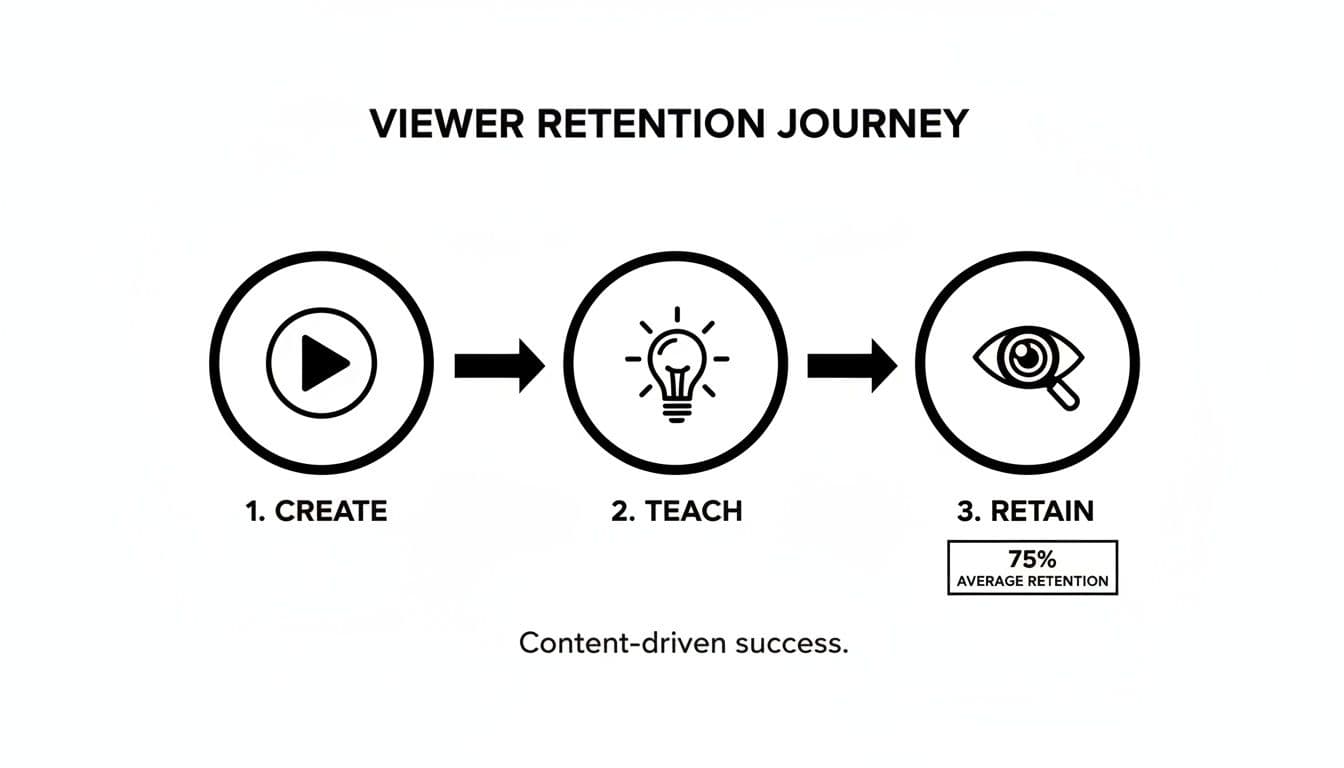
When you structure your videos this way, you're not just throwing information out there; you're building a flow that naturally leads to higher retention rates.
Building Your Script with AI
We've all been there, staring at a blinking cursor on a blank page. This is where a tool like ShortGenius can be a real game-changer for your workflow. You can feed it a simple prompt, like, "Create a script for a 2-minute video on how to brew pour-over coffee," and it will generate a structured outline in seconds.
What you get is a fantastic first draft. It'll have the hook, the steps, and a conclusion ready to go. From there, it's your job to inject your own personality. Add a personal story, tweak the phrasing to sound like you, and share those little tips you've picked up from experience.
This mix of AI speed and human touch is how you can consistently produce great content without burning out. You can even use AI to create eye-catching custom thumbnails. Check out our guide on AI-driven text-to-image creation to see just how powerful these tools have become.
Bringing Your Vision to Life with AI Production

Does the thought of "video production" make you think of complicated cameras, expensive lights, and a film crew? For a long time, that was the reality. But that's simply not the case anymore. Honestly, you can get incredible results with just the phone you already own.
The real shift, though, is how AI is completely changing how we think about making videos. Let's walk through two paths you can take: the tried-and-true DIY smartphone setup and the incredibly fast AI-powered alternative.
The Smartphone Studio: Your Secret Weapon
Forget the idea that you need a fancy DSLR. Your smartphone's camera is more than powerful enough to shoot beautiful, high-quality video. The secret isn't the camera—it's everything else. I've found that focusing on two simple things will have a much bigger impact than any camera upgrade: lighting and audio.
- Lighting: The best light is free. Just face a window when you film. This gives you soft, natural light that looks great on camera. Whatever you do, avoid having a bright window behind you, or you’ll end up as a dark silhouette. A cheap ring light is also a fantastic investment that can instantly improve your look.
- Audio: Your phone’s built-in mic is okay for calls, but for video, it picks up way too much background noise and echo. A small, clip-on lavalier mic is a game-changer. You can find them online for less than $20, and they will make your audio sound 100% more professional by isolating just your voice.
This hands-on approach is perfect for any tutorial where you need to be on screen, like an unboxing video or a step-by-step craft guide. But what if you want to create a slick, professional-looking video without ever getting in front of the camera? That’s where AI comes in.
Assembling Your Video with AI
Imagine typing out your script and having a tool generate the entire video for you—complete with custom visuals, dynamic scenes, and a perfect voiceover. That's not science fiction; it's here. The hunger for video is massive. By 2025, an estimated 93% of businesses will use video for marketing, and video already makes up 82% of all internet traffic. Creators need faster, smarter ways to keep up.
This is where AI video generators completely change the game. You can sidestep the entire filming and editing process, which is a lifesaver for explainers, software tutorials, or any video that’s more about illustrating an idea than showing a physical action.
The real power of AI in video production is its ability to separate the idea from the execution. You can focus entirely on crafting the perfect message, and let the AI handle the visual creation and assembly.
For example, with a tool like ShortGenius, you can feed it your "pour-over coffee" script and let the AI build the visual story. The platform's advanced text-to-video capabilities let you describe exactly what you want to see in each shot, and it generates original video clips to match.
A Real-World AI Production Example
Let's go back to our "How to Brew the Perfect Pour-Over Coffee" script. Instead of setting up a camera and filming each step, you'd just give the AI a series of simple text prompts.
| Script Line | Corresponding AI Prompt for Visuals |
|---|---|
| "Start with freshly ground coffee beans..." | "A cinematic close-up shot of coffee beans being poured into a grinder, slow motion." |
| "Slowly pour hot water in a circular motion..." | "A top-down view of a hand pouring hot water from a gooseneck kettle over coffee grounds in a V60 dripper." |
| "Watch as the rich, aromatic coffee drips..." | "A macro shot of dark coffee dripping into a clear glass server, steam rising." |
What's amazing is that the AI isn't just pulling stock footage. It’s creating brand-new, original video clips from your text descriptions. From there, you just paste in your script to generate a professional voiceover, and the tool automatically syncs the audio to the visuals, even adding background music and animated captions for you.
This workflow cuts production time from a full day of shooting and editing down to less than an hour. As you start planning your own content, it’s worth exploring the best AI content creation tools for 2026 to see how they can fit into your process. The final product is a polished, engaging how-to video that looks like it was made by a whole team—all from a simple script.
Polishing Your Video with AI-Powered Editing
Let's be real: the edit is where a video truly comes to life. It's also where most creators hit a wall. I've spent countless hours—and I mean hours—hunched over a timeline, trying to turn a pile of raw footage into something coherent. It can be a soul-crushing grind of manual cuts, tedious subtitle typing, and battling with overly complex software.
But what if editing wasn't a chore? What if you could skip the grunt work? This is where a modern, AI-accelerated workflow isn't just helpful; it's a complete game-changer. You can finally let smart tools handle the tedious stuff, freeing you up to focus on what really matters: telling a great story.
The Old Grind vs. The New Flow
Think about the traditional editing process. You’d have to manually listen and re-listen to your entire recording, hunting down every "um," "ah," and awkward silence. Then came the "joy" of typing out every single word for subtitles—a task so mind-numbing that many of us just skipped it, even though we knew it was hurting our video's reach.
The AI-driven approach flips that script entirely. It turns the most painful parts of editing into one-click solutions. Imagine cleaning up all the silences in your video instantly. Or getting a perfectly accurate, time-stamped transcript in seconds. This isn't just about moving faster; it's about making professional-quality editing accessible to anyone, not just people with tons of time or a big budget.
By automating the tedious, repetitive tasks, AI empowers you to spend your energy on what truly matters: making your how-to video clear, engaging, and unforgettable for your audience.
You get to shift your role from a technical button-pusher to a creative director. You’re no longer just trimming clips; you're crafting an experience for your viewer.
Smart Trimming and Captions That Actually Get Read
For me, two AI features have been revolutionary for creating how-to videos: smart trimming and automated captions. These two things alone can easily slice your editing time by more than half.
- Smart Trimming: We all make mistakes when we record. Tools like ShortGenius can scan your audio, automatically find those filler words and long pauses, and remove them for you. I've seen a messy 10-minute recording get tightened into a crisp, clean 7-minute video with a single click. It's incredible.
- Auto-Captions: Did you know that over 80% of videos on social media are watched without sound? If you don't have captions, most people will just scroll on by. AI tools like ShortGenius can generate perfectly synced, stylized captions that grab attention and make your videos easy to follow on any platform.
These features guarantee your instructions are clear and your video is engaging, whether the sound is on or off.
A Playground for Creative Experiments
Beyond just cleaning things up, AI gives you a sandbox to experiment in ways that were once impractical. You can now test different creative ideas to see what works best before you ever hit publish.
Think of it as A/B testing your video's DNA.
Let's say you're making a faceless video. With AI, you can audition different narrators for your script. Is a warm, friendly female voice a better fit for your brand, or does a deep, authoritative male voice work better? Just upload the script and listen to both.
The same goes for your visuals. If you used AI to create your scenes, you can swap them out in seconds. Maybe that wide shot isn't landing. What if it was a cinematic close-up instead? With an AI workflow, you can generate both options and compare them side-by-side. This kind of creative agility is a massive advantage when you're trying to create how-to videos that stand out. You can now fine-tune your content to perfection in minutes, not days.
Get Your Video Seen: Optimizing and Distributing for Maximum Reach

You’ve filmed and polished your how-to video. It looks fantastic. But here's a truth every seasoned creator knows: hitting "publish" is just the beginning. A brilliant video nobody sees is a huge missed opportunity. Now it’s time to make sure your hard work actually gets discovered.
The old "build it and they will come" approach just doesn't work. To really get traction, you need a smart plan for getting your content in front of the right eyeballs, on the right platforms, and in the right format.
Nail Your Video SEO from the Start
Think of video SEO as giving platforms like YouTube a clear roadmap to your content. When you get it right, they reward you by showing your video to people who are actively searching for your expertise. This is how you create an asset that can pull in views for months, even years.
It all starts with your title and description—your video's first impression.
- Create Magnetic Titles: Your title needs to promise a specific outcome. "Fixing a Wobbly Chair" is okay, but "Fix a Wobbly Chair in 5 Minutes (No Tools Needed)" is a solution. It grabs attention and sets expectations.
- Write Helpful Descriptions: Don't leave this blank! Briefly recap the problem you're solving, outline the steps you cover, and weave in your main keywords naturally. This is your chance to give the algorithm (and your viewers) more context.
Your audience isn't just browsing; they're looking for an answer. Your title is the first sign that you have it. The most effective ones answer a direct question or promise a real result.
Getting this foundation right is crucial. But to truly grow, you need to think beyond a single upload.
The Smart Way to Go Multi-Platform
The secret to explosive growth in 2026? Repurposing. The days of making a separate, unique video for every social channel are long gone. The smartest creators take one core video—like your awesome new how-to—and slice it into custom-fit pieces for other platforms.
This is especially true for short-form video. Since its boom began around 2016, this format has become an absolute juggernaut for educational content. With short-form video consumption projected to jump by 75% by 2026 and Android users already spending about 35 hours per month on TikTok alone, the demand is undeniable. People are hungry for quick, helpful videos.
This is where ShortGenius becomes your secret weapon. You can feed it your 10-minute YouTube deep-dive on "How to Repot an Orchid" and almost instantly get a handful of powerful, ready-to-post clips.
- A 60-second Instagram Reel that hits the most important steps.
- A 30-second TikTok that focuses on one game-changing tip.
- A 15-second YouTube Short that acts as a snappy teaser for the full tutorial.
Suddenly, one video shoot has given you a whole week's worth of content. That’s how you work smarter, not harder.
How-To Video Format Guide by Platform
Each social network has its own vibe and technical rules. A video that crushes it on YouTube might need a few tweaks to pop on TikTok. To make it easy, here's a quick guide for adapting your how-to videos for the biggest platforms.
| Platform | Ideal Length | Aspect Ratio | Key Optimization Tip |
|---|---|---|---|
| YouTube | 5-15 min | 16:9 (Horizontal) | Focus on search-friendly titles and in-depth descriptions. Use chapters to help viewers navigate. |
| Instagram Reels | 15-90 sec | 9:16 (Vertical) | Use trending audio and bold, on-screen text captions to grab attention quickly. The first 3 seconds are crucial. |
| TikTok | 15-60 sec | 9:16 (Vertical) | Keep it fast-paced and authentic. Use platform-native effects and respond to relevant trends. |
| YouTube Shorts | 15-60 sec | 9:16 (Vertical) | Create a satisfying loop or a clear payoff at the end to encourage re-watches, a key metric for the Shorts algorithm. |
By repurposing your content this way, you're not just saving a massive amount of time; you're meeting your audience on their home turf. It’s the same logic behind our AI ad generator, which helps you spin a single idea into multiple ad variations.
And as you spread your content far and wide, remember to protect it. Learning how to properly watermark videos is a simple step that reinforces your brand and prevents theft across every channel. With a smart distribution strategy, your how-to videos will do more than just teach—they'll become a powerful engine for your growth.
Frequently Asked Questions
As you dive into making how-to videos, you're bound to have questions. It's part of the process for every creator, big or small. Let's tackle some of the most common ones I hear so you can get past the roadblocks and back to creating.
How Long Should My How-To Video Be?
This is the classic "it depends" question, but I can give you some solid starting points. The honest answer is that your video's length should match the platform and the complexity of your topic.
For platforms that demand speed, like TikTok or Instagram Reels, keep it tight. You're aiming for 15 to 60 seconds. Think of it as delivering one quick, satisfying win for your viewer. But for a more in-depth guide on YouTube, you have more room to breathe. Anything from 5 to 15 minutes is often the sweet spot.
The real golden rule? Be as short as possible, but as long as necessary. Your job is to deliver clear, complete instructions without any fluff. The best way to learn what works for your audience is to get your hands dirty and check your analytics to see where people drop off.
That data is pure gold. It tells you exactly what’s holding your audience's attention and what isn't.
Do I Need to Show My Face on Camera?
Absolutely not. This is a huge myth, and honestly, a big source of relief for a lot of creators just starting out. Some of the most helpful and successful how-to channels out there are completely "faceless."
You have plenty of other, equally effective options:
- Screen Recordings: A must-have for any kind of software or app tutorial.
- Top-Down Shots: This is the classic "hands-only" style you see in cooking, crafting, or unboxing videos. It's incredibly effective at focusing the viewer's attention.
- Animated Visuals: Got an abstract concept to explain? Motion graphics and animated text can break it down beautifully.
- AI-Generated Scenes: This is where it gets really interesting. Tools like ShortGenius can create entire video clips from a simple text prompt, building the visual story for you.
And with today's AI voiceover tools, you don't even have to record your own voice to get a polished, professional sound. The focus should always be on crystal-clear audio and easy-to-follow visuals—not whether your face is in the frame.
What Is the Most Important Element of a How-To Video?
If you only remember one thing from this entire guide, make it this: clarity is king.
Your primary mission is to help someone learn a skill or solve a problem. That's it. A video can have amazing 4K footage and a soundtrack worthy of a movie, but if the steps are confusing or rushed, it has completely failed.
What does clarity actually look like in practice?
- Crisp, Clean Audio: If they can't understand what you're saying, you've already lost them.
- Easy-to-Follow Visuals: The action on screen needs to perfectly match your narration without any distracting clutter.
- A Well-Paced Script: The flow should be easy to follow—not so slow that it’s boring, but not so fast that viewers have to keep hitting rewind.
A simple, straightforward video that delivers on its promise will always beat a flashy, confusing one. Always.
How Do I Come Up with Good Ideas for How-To Videos?
Stop trying to pull brilliant ideas out of thin air. The best video concepts are discovered, not invented. Your audience is already telling you exactly what they need help with; you just have to learn how to listen.
Start by zeroing in on their pain points. What questions pop up in your DMs or comment sections over and over? What are the common frustrations in your niche? Every single one of those problems is a fantastic idea for a how-to video.
You can also use free tools like Google Trends or AnswerThePublic to see what people are actively searching for. Spend some time lurking in forums like Reddit or Quora. If you see the same question asked a dozen different ways, that's your signal. It's a clear-cut sign of a real need that you can fill with a great tutorial.
Ready to turn those ideas into polished how-to videos in a fraction of the time? ShortGenius brings every step—AI scripting, video generation, automated editing, and multi-platform publishing—under one roof. Start creating faster with ShortGenius today!